
By Jerry Zhang
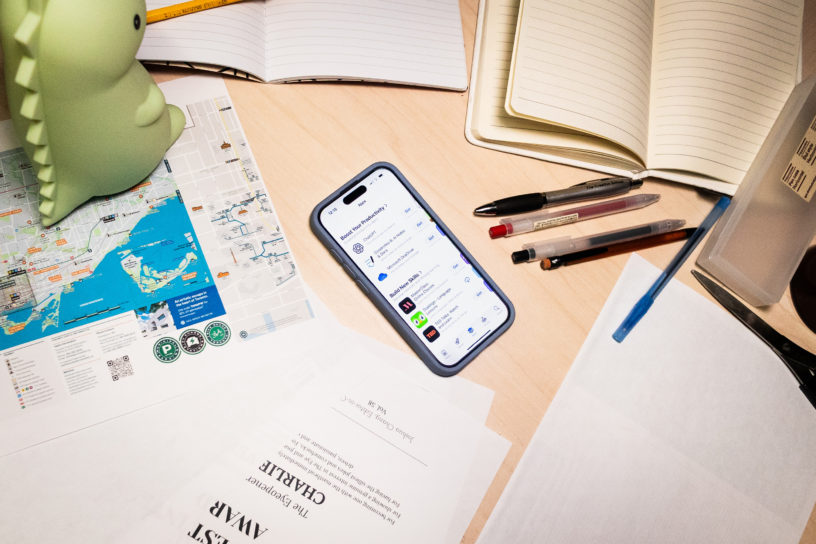
New term, new tabs. These picks can help you plan, focus and breathe between classes without distraction.
Notion—all-in-one planner
Build a simple hub or an everything-board. Notion is a one-stop app that combines notes, to-dos, calendars and databases in one place, so readings, deadlines and group tasks don’t scatter across apps. Templates from Notion offer structure to make setup quick, and connect with Google and Apple calendars so you can see class events alongside your Notion deadlines. It’s flexible enough to run an entire semester from a single dashboard.
Stanford Storm AI—research jump-starter
Staring at a blank page? Informally, it’s known as “Storm AI,” Stanford’s open-source Synthesis of Topic Outlines through Retrieval and Multi-perspective Question Asking (STORM) helps to kick-start research into any topic by pulling web sources into a report. It can draft outlines, explain tricky concepts and point you to sources but treat it as a starting point, not a final answer. Always check facts and cite original materials. It’s a research prototype you can run from Stanford’s demo or the GitHub repository.
Goodnotes—digital note-taking and study organization
Instead of stacks of paper and countless links, Goodnotes can turn a tablet or laptop into a searchable notebook. You can handwrite on notebooks, annotate PDFs, and keep lecture slides, rubrics and study sheets in one search library. No more digging through D2L course shells to find the right one before midterms.
Otter.ai—lecture capture and meeting notes
Hard time following a fast-talking professor? Try using The Eyeopener’s best friend. Otter can create live transcripts of lectures, meetings and interviews with summaries and searchable notes to scan after. It’s useful for looking back after lecture to find the pesky sections and can save your hand from jotting or typing pages of notes but always ask before recording, and follow your course’s policies, then let your wrists take a break.
Forest—stay-focused timer that feels tangible
The Forest uses the Pomodoro method for studying, start a session, grow a virtual tree and don’t touch your phone but leave early, and the tree withers. Over the weeks, watch your study session become a virtual forest as it offers a more concrete sign of study time and a visble “don’t doomscroll yet” cue when you reach for your phone. Use it for small study sessions and make sure to take a break in between.
AllTrails—hiking/wellness for off-campus resets
AllTrails helps you find nearby walks and hikes with maps, photos and reviews. Feeling like being in prison after a long day of sulking indoors, find a short route for a quick reset between classes or plan a longer weekend trip with some friends. Step outside for a break and a refresher before the next block of work.
Shortcuts—automate the boring bits
Shortcuts strings various functions together on the Apple device, short LEGO-like program pieces can be puzzled together to serve various automations serving niche needs. Routine tasks can be made to take only one tap. Compile PDF’s of weekly readings, set an auto pre-lecture focus mode while opening the right notes app, log study hours and timed mindful or journaling prompts. Set it once and save minutes every day.
Check these app out and see what works for you but use free tiers first and upgrade only if a feature clearly helps you every week.






Leave a Reply